
Booklet 1 · Set up
Setting up Lutso
In the box
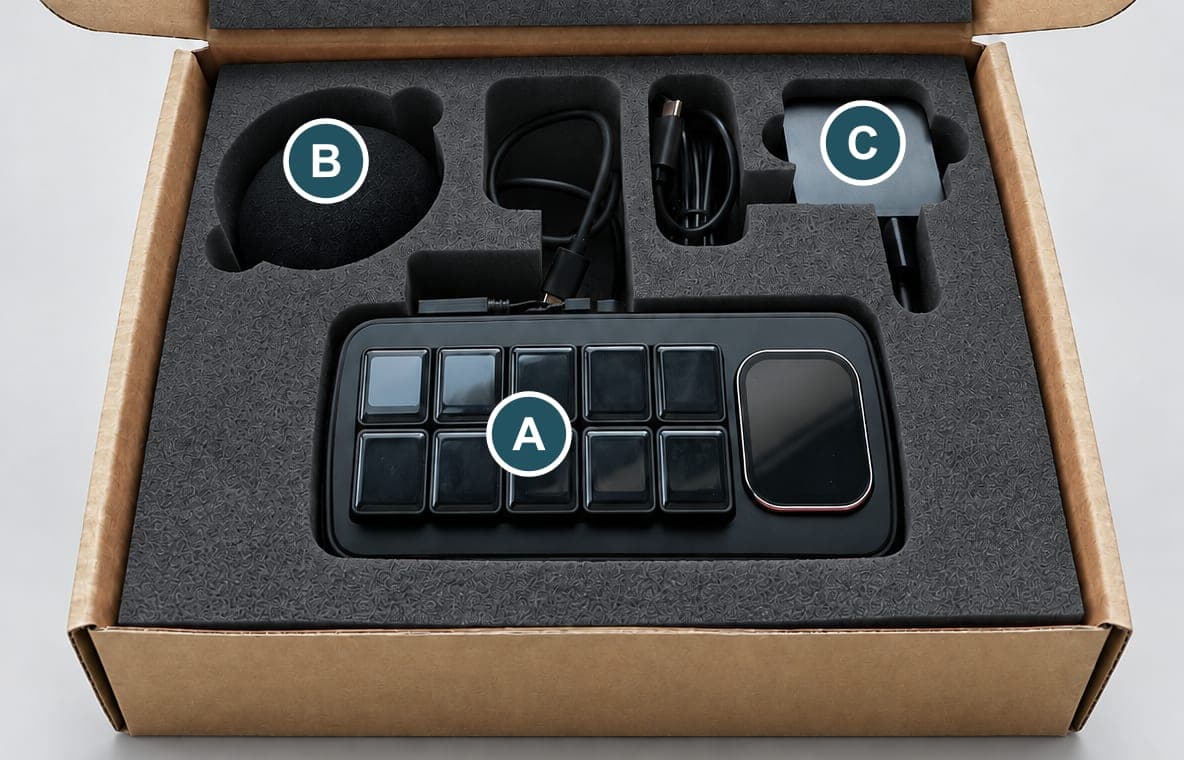
- A: Keyboard
- B: Speaker
- C: Power adapter
Connect the cables
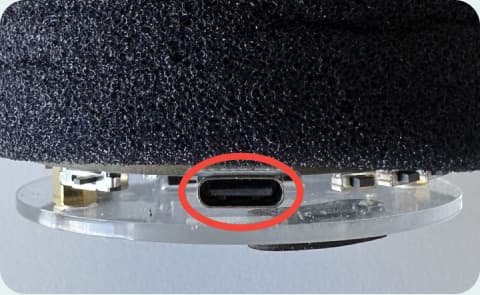 Step 1.
Plug the speaker cable into the socket on the side of the speaker. The other end is already in the keyboard.
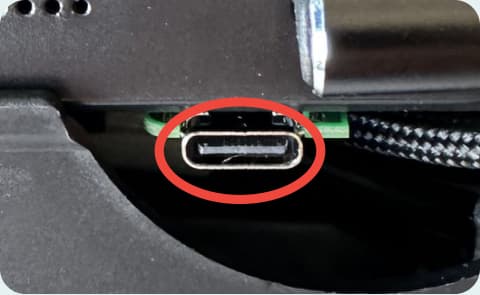 Step 2.
Plug the power adapter into the socket on the back of the keyboard, then into the wall outlet.
The speaker light turns green. Lutso is ready in about a minute.
Connect to Wi-Fi
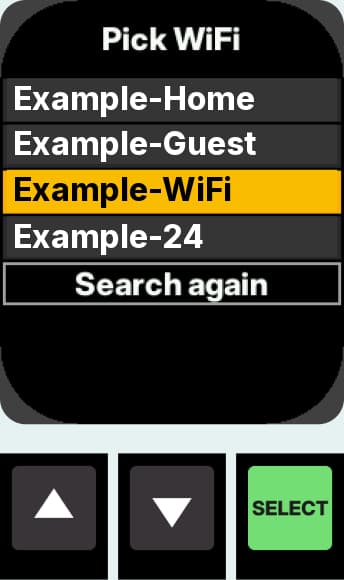 Step 3.
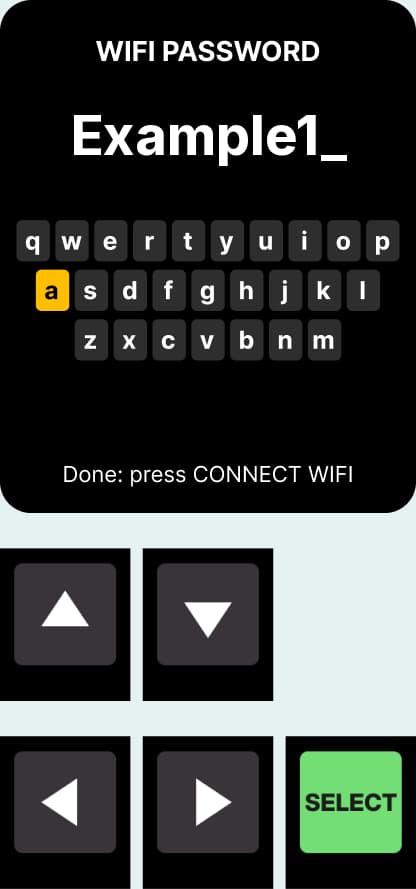
Find your Wi-Fi network with the up and down arrows. Press SELECT.
 Step 4.
Type your Wi-Fi password. Pick each letter, number or symbol with the arrows, then press SELECT after each one.

Capital or small letter? Press lower / UPPER.
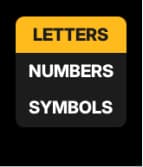
Number or symbol? Press LETTERS / NUMBERS / SYMBOLS.

Made a mistake? Press DELETE.
 Step 5.
Done? Press CONNECT WIFI.
Connected? Lutso asks for your phone number.
“Wrong password”? Do step 4 again.
Log in
 Step 6.
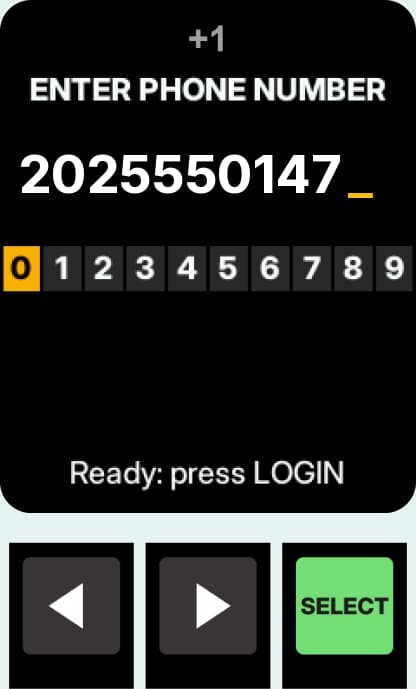
Enter the phone number you signed up with. Pick a digit with the arrows, then press SELECT after each digit.
Made a mistake? Press DELETE.
Enter all 10 digits, starting with the area code. No need to add +1.
 Step 7.
Press LOGIN.
Lutso greets you by name.
Not registered? Email info@lutso.ai
Volume
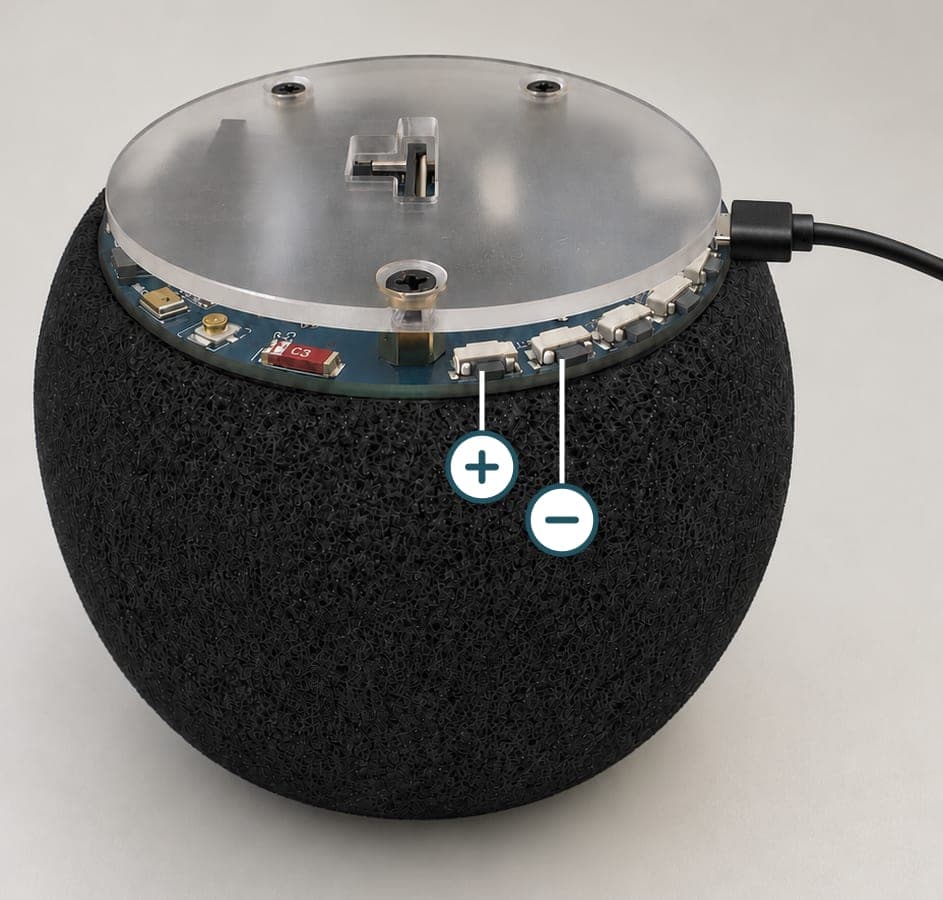
Turn the speaker over. Of the five small buttons, the one furthest from the cable is louder (+), the next one is quieter (−).
All set! Now see How to use Lutso.
Unplugged? Lutso stays logged in on the same Wi-Fi.
Stuck? Email info@lutso.ai